
 TSC Rack 2 – Neural Amp Modeler Plugin
$19.99
Tokyo Studio Capture
Neural Capture Workstation
A true stereo workstation for Neural Amp Modeler profiles.
Build, compare and recall complete analog-style processing chains in one elegant rack.

TSC Rack 2
Four slots, true stereo, and the calibration work done for you.
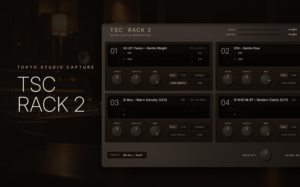
A NAM profile captures how a piece of analog hardware responds. TSC Rack 2 is where those captures become a working chain: load a profile into each of four slots, set the order, blend each stage, and recall the whole rack in any session.
It was built alongside Tokyo Studio Capture’s own captures and runs on the NAM A2 engine, so every profile in your library — ours or anyone’s — behaves the same way.
New to Neural Amp Modeler? Read the NAM Guide →
Workflow
Audio flows from slot 01 through 04. Each slot holds one profile — or a left/right pair — with its own INPUT, OUTPUT and MIX, so a compressor into an EQ into tape is a chain you build in seconds, not a stack of plug-in windows.


Presets
A preset is the complete rack: the profiles in every slot, their order, SPLIT or MERGE, FULL or SLIM, and every INPUT, OUTPUT and MIX setting. Build a chain once, name it, and bring it back into any session with one click.
Four factory presets — Mix Bus — Subtle, Mix Bus — Color, Drum Bus — Punch and Vocal — Forward — are starting points, not templates you have to keep. Save your own as you go, and rename or delete them from the same panel.
True Stereo
Stereo hardware is two channels of slightly different electronics. A single profile flattens that into one response. TSC Rack 2 keeps both.
Conventional — one chain
TSC Rack 2 — true stereo
SPLIT loads the CH1 and CH2 captures of a stereo unit into one slot and processes them as a pair, so width and depth stay the way the hardware made them. MERGE is for single-channel captures — and switching back to SPLIT restores the Right profile exactly where you left it.
Profile Library

Under the hood
Every A2 profile carries two variants of the same model. SLIM runs the lighter one for lower CPU; FULL runs the full-size model for maximum accuracy. The switch is per slot, click-free, and never changes the latency reported to your DAW.
When a profile loads, TSC Rack measures its gain against a −18 dBFS reference. Switch LEVEL MATCH on and the slot plays at matched level, so you compare captures by tone, not by loudness.
Timing and polarity are measured for every profile at load, and the dry path is aligned to match. MIX blends stay phase-coherent, and plug-in delay compensation is reported to your DAW automatically — there is nothing to run or set up.
Models run at 48 kHz internally, with an automatic bridge to your session rate. The result is consistent behavior at 44.1, 48, 96 or 192 kHz, and one less setting to think about.
Compatibility
The installer lets you select Audio Unit, VST3 and AAX individually. Existing settings, presets and profile libraries are always preserved.
Enter your serial key once. An internet connection is needed only for activation, and each license covers up to three of your own computers.
The plug-in installers, a complimentary factory profile library added to your library on first launch, and the User Manual.
FAQ
Documentation
Controls, shortcuts, the profile library, presets, calibration, installation and activation — the complete TSC Rack 2 User Manual, as a PDF you can keep.
View User ManualGet TSC Rack 2
Audio Unit · VST3 · AAX (Pro Tools) — macOS and Windows. Instant download, three computers per license.
Reviews
Thank you.
We built TSC Rack because we wanted a better way to work with Neural Amp Modeler. We hope it becomes an essential part of your workflow, too.
TSC Rack 2 – Neural Amp Modeler Plugin
Anonymous (verified owner) –
Really simple to use and easy to install.
David Alexander Fields –
I was genuinely shocked with the sonic characters and how close this was to the hardware
I just wish there was a AAX version other than that 5 STARS
Anonymous (verified owner) –
To be able to create my own custom chains and with True Stereo options is so satisfying
Carlos Delgado (verified owner) –
exelent quality
AARON RENNOLDSON (verified owner) –
Really nice sounding plugin and great idea. Can only imagine this thing getting better and better over time
esse (verified owner) –
Simple interface, very thoughtful. The mix knob has a “Learn” feature to fix any phase/timing issues, don’t sleep on the mix knob it’s also fantastic! Great product, very highly recommended. Very lightweight, easier on your CPU than other NAM utilities.
Cary K. (verified owner) –
Just recently heard about NAM processing and I’m impressed! I tossed it in an old mix on the master bus and it gave it some nice mojo, but I need to use it in the build of a new mix I’m sure to get the whole vibe…I can’t wait!!
Daniel (verified owner) –
A very good plugin with a simple design; loading and using the profiles is easy, and it’s fun to work with.
Anonymous (verified owner) –
Sound quality is very well !
Jacob C. (verified owner) –
TSC Rack is easily the best NAM workflow I’ve used. The true stereo L/R capture and built-in mix control make working with hardware captures incredibly fast. Fantastic work from Tokyo Studio Capture.
Anonymous (verified owner) –
This has been a game changer now having the ability to use a stereo set up
Daniele (verified owner) –
There was a issue with Auto-latency compensation (nam profile tend to have a degree of latency which is not detected from the DAW and doesn’t allow parallel processing), it didn’t work properly in the beginning but they immediately responded to my email and sent an updated and corrected version of the plugin the next day, amazing support.
Ryan Denman (verified owner) –
This plugin needed to happen for the past 4 years! Super easy and intuitive…best of all it runs true stereo NAM files!
Alfonso (verified owner) –
Great ITB sound! Excellent profile reader in NAM format (NAM A2 actually) that conveniently offers 4 slots to combine 4 high-quality stereo or mono profiles into a single slot in your DAW. The price is ridiculously low, including 4 demo profiles (compression, EQ, tape, and saturation) that give you an idea of the sound quality of TSC’s catalog of audio production standards available. Can´t wait to listen more…
Nick B. (verified owner) –
Makes using outboard captures so so so much easier and quick. If you mix everyday this is an enormous workflow improvement and helps me stay in the flow.
Rodrigo F. (verified owner) –
Excelente interfaz para trabajar con la tecnologia NAM A2! realmente se siente el sabor analogico!
Anonymous (verified owner) –
Well made.
Young (verified owner) –
Good!
Anonymous (verified owner) –
Super useful quality of life plugin that ties a lot of things together.
Anonymous (verified owner) –
Nice and simple workflow and with stereo split feature. Works well. Cheers
Anonymous (verified owner) –
Good plugin and sounds great. Needs auto gain balance for input and output knob as an option for better blending. If there was a way to link multiple TSC racks together like all the tracks have the same pre amp and you want to swop out all of them to another pre amp, it can happen in an instant. Looking forward to future updates and features.
Anonymous (verified owner) –
Intuitive and dead simple